SD5913 · WEEK 01 · LECTURE
Programming for artists and designers
PolyU School of Design · pfad.ait4x.org
SD5913 · WEEK 01 · LECTURE
Programming for artists and designers
PolyU School of Design · pfad.ait4x.org
SD5913 · WEEK 01
Today
01
Why are we here?
02
Who are we?
03
Computers
04
Programs
05
Programming languages
06
Python
07
Tools for the job
08
Assignments and tutorials
01 · QUESTION · SHORT ANSWER · Your answers
Why are we here?
One sentence. Why a programming course for art and design?
02 · WHO IS TEACHING YOU
I came to this from economics.
No computer science degree. I learned to code because I wanted to make things that could not be made any other way. That is still the only reason I use it.
// what I made with it
Musical Fruitstand — fruit you can play. No screen.
A-Eye — the audience, repainted live at M+.
Featherman — a mobile game, with WWF Mai Po.
giovannilion.link — later, not now.
The robot rebooted minutes before the cue.
2017–2019 · Hanson Robotics · I was Sophia's operator for two years. Someone knocked out a power cable during setup, in front of thousands of people. It came back. The show went on.
02
Who are we?
Artists and designers · what's your X?
QUESTION · Multiple choice · Your answers
Are you an artist or a designer?
A
Artist
B
Designer
C
Both / not sure
“…a subjective perspective that reminds us of the human condition.”
Artists? — Hannah Arendt, The Human Condition, 1958
QUESTION · Multiple choice · Your answers
Is programming an art?
A
Yes
B
No
C
It can be
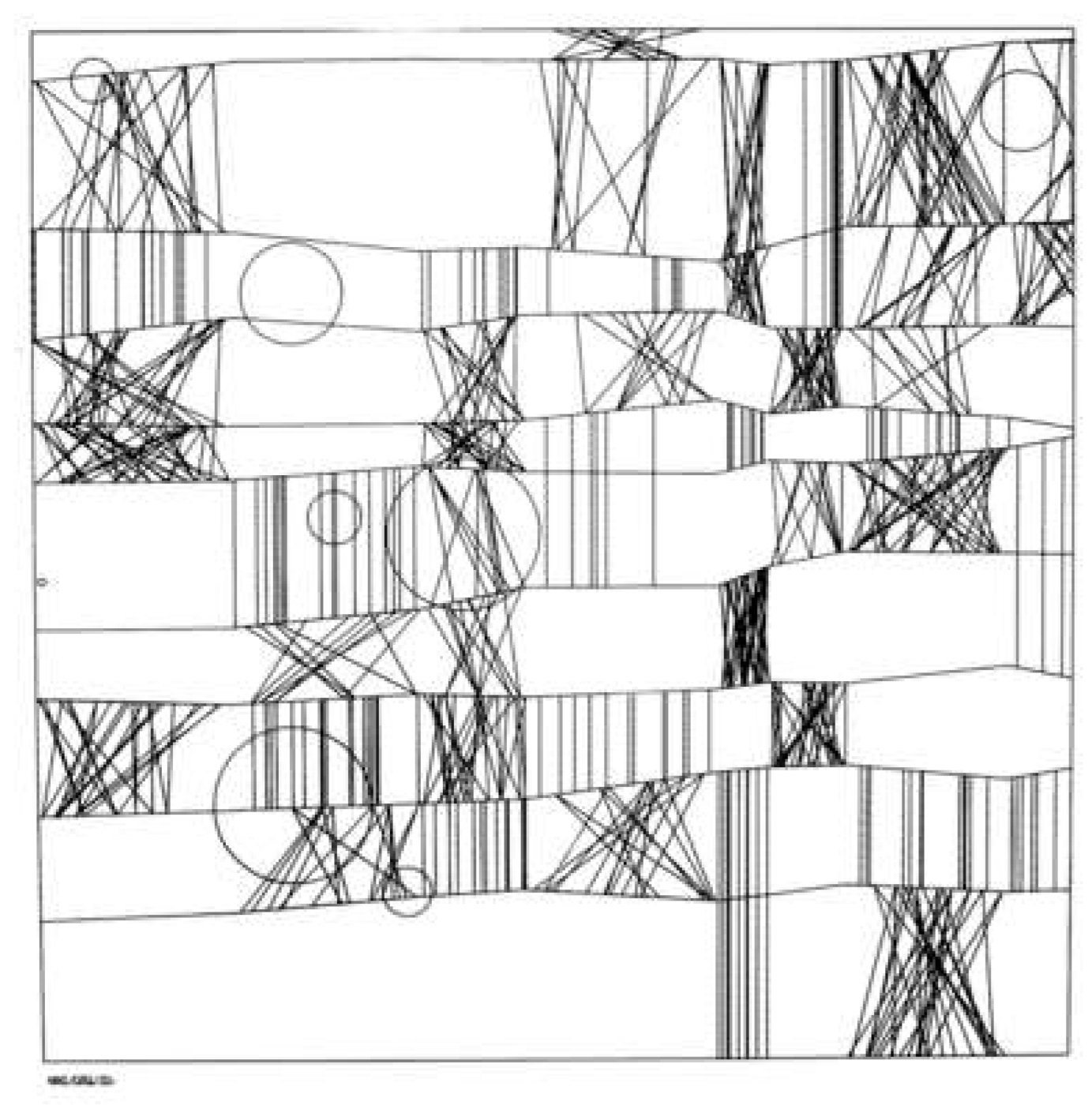
1965 · FRIEDER NAKE · HOMMAGE À PAUL KLEE, 13/9/65 NR.2
A program drew this. Screenprint after a plotter drawing, 49.2 × 49.2 cm. Victoria and Albert Museum, E.951-2008.
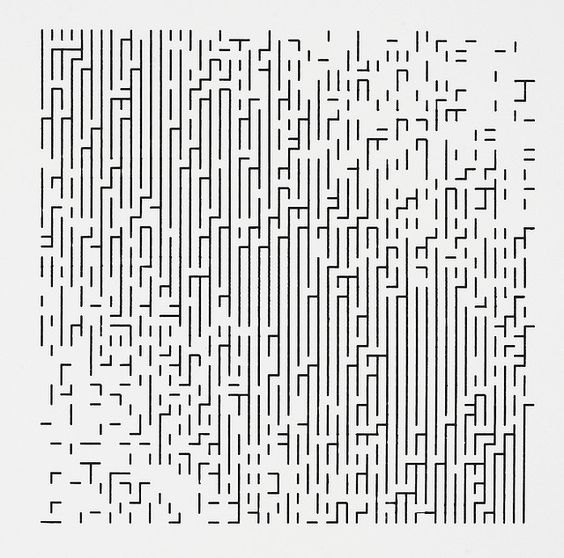
1966 · FRIEDER NAKE · WALK-THROUGH-RASTER, SERIES 2, 1–4
Same idea: a rule, run many times, with a little randomness. Photograph of a plotter drawing. Victoria and Albert Museum, E.955-2008.
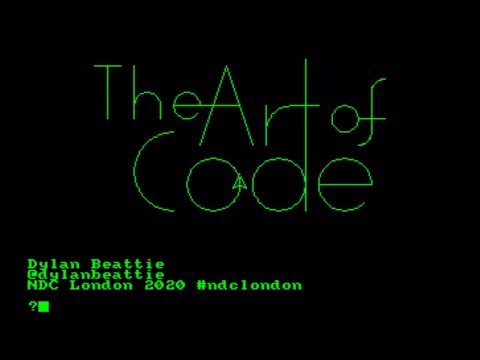
TALK · DYLAN BEATTIE
The Art of Code
Inspiration for assignment 1.
youtube.com/watch?v=6avJHaC3C2U
GEORG NEES · SCHOTTER · 1968
One rule. One number.
12 squares across, 22 down. The top row is perfect. Every row after it is rotated and moved a little more, until the bottom is rubble.
In the tutorial you change that number and watch it become a different picture.
CHAOS = 1.0
Drawn by the rule in pfad/week01/first-repo/sketch.py, seed 5913.
…a creative perspective that is data-driven and user-centric.
Designers?
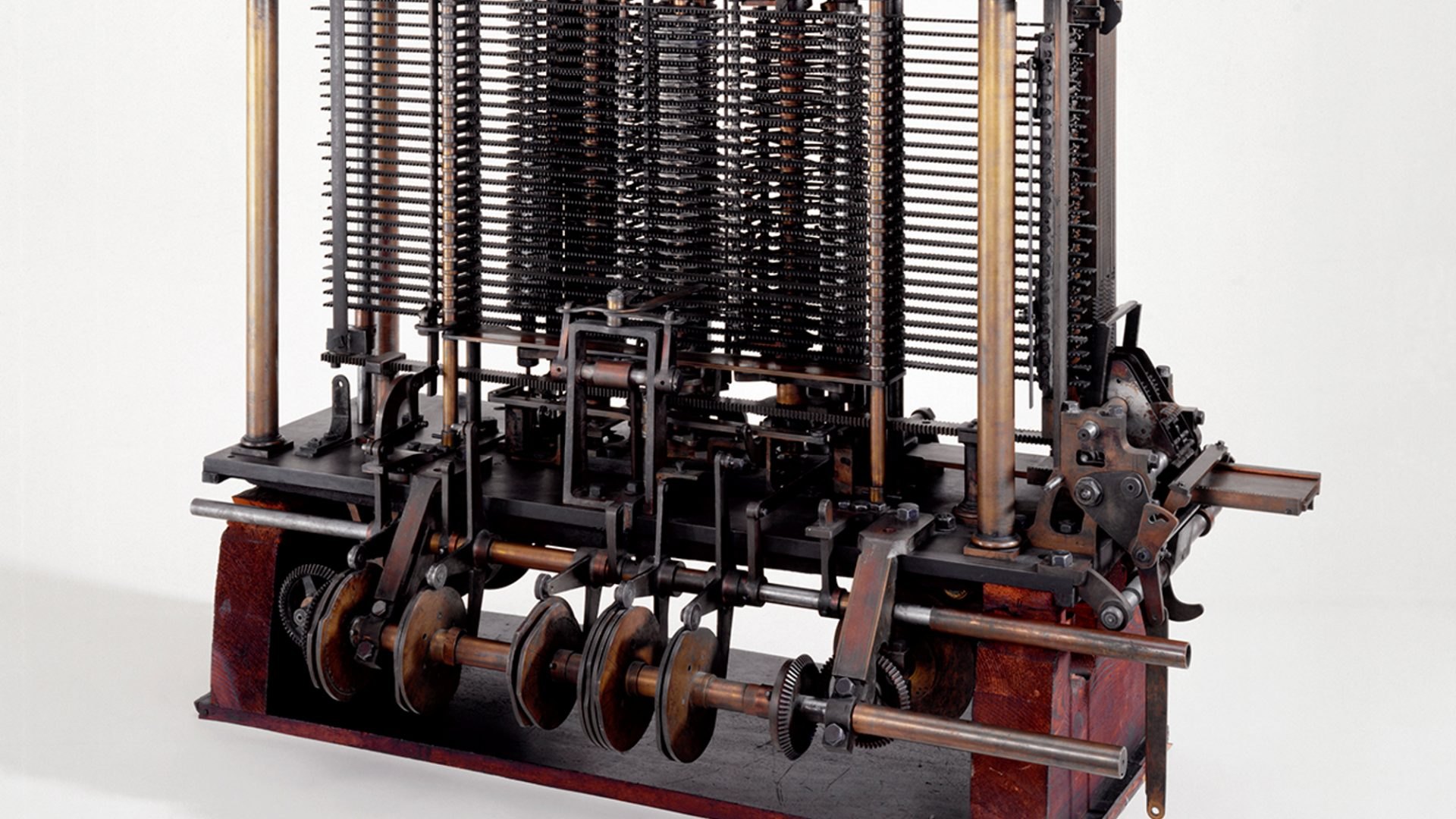
1837 · CHARLES BABBAGE · THE ANALYTICAL ENGINE
A computer is a physical thing. Brass, steel and gears, cut by hand by craftsmen. This one was designed but never finished. Someone wrote a program for it anyway. Trial model, Science Museum Group 1878-3, CC BY-NC-SA 4.0.

Wrote the first program — for Babbage's Analytical Engine, a computer that did not exist yet.
Ada Lovelace, Note G, 1843 · Portrait by Margaret Sarah Carpenter, 1836, Government Art Collection
AGILEMANIFESTO.ORG · 2001
Is programming a craft?
Individuals and interactions over processes and tools
Working software over comprehensive documentation
Customer collaboration over contract negotiation
Responding to change over following a plan
ART AND DESIGN
Both want to change attitudes and behaviour.
CULTURE AND TECHNOLOGY
Mediated perception
Technologies do not exist “in themselves.” They exist in relation to people and culture.
— Don Ihde
you ←→ tool ←→ world
QUESTION · Word cloud · Your answers
What's your X?
One word. What do you want to make with code this semester?
HOW TO SURVIVE THE SEMESTER
Stay in flow
Bored? Find a harder problem.
Anxious? Learn a skill, or make the problem smaller.
Then sleep.
You will read this loop again in week 4, once while means something, and run it for real in week 13.
problem = None
while semester() == 1:
    if not problem:
        problem = Problem.current()
    while not problem.solved:
        try:
            code = self.challenge(problem)
            problem.solved = code.run(problem)
        except:
            panic = reality_check()
            break
    state = check_state()
    if state == "bored" or problem.solved:
        problem = Problem.find_harder(problem)
    elif state == "anxious" or panic:
        try:
            skill_upgrade(self)
        except:
            simplify(problem)
        finally:
            sleep(8 * 60 * 60)
ASSESSMENT
Five components
10%
Participation
Come, or tell us before you do not.
30%
Individual assignments
Three, on GitHub, on time.
10%
Mid-term quiz
In class, week 7.
40%
Group project
A GitHub repo with everyone's commits. Original code. Multimedia. Scope agreed by week 8.
10%
Final quiz
In class, week 13.
INDIVIDUAL ASSIGNMENTS · 30%
Three repos, three dates
01 · 5%
Reflection
Why are we here? 500–1000 words.
DUE SUN 13 SEP
02 · 10%
Data visualisation
Get data about a natural phenomenon. Show it.
DUE SUN 27 SEP
03 · 15%
Interactive experience
Something people can play with.
LATER IN THE SEMESTER
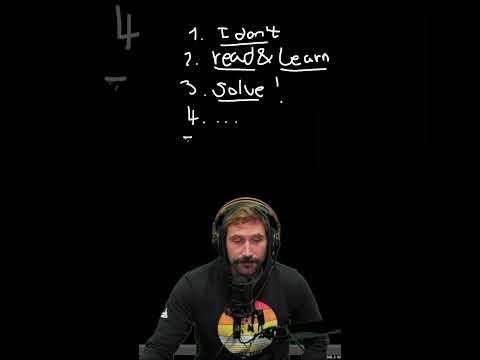
VIDEO
The programmer's mindset
Programmers are not smarter. They are used to being wrong and trying again.
youtube.com/watch?v=3o63D0-_x2k
03
Computers
Turing, 1936
03 · COMPUTERS
Computers are Turing machines
Turing, 1936 — On Computable Numbers, with an Application to the Entscheidungsproblem.
A tape of symbols, a head that reads one at a time, and a table of rules.
Read a symbol. Follow a rule. Write. Move. Repeat.
The machine in the paper is a thought experiment. Turing never built one.
TAPE   … 1 0 1 1 0 0 …
                ^
HEAD   reads one cell

RULES  (state, symbol) ->
       (write, move, next state)

read . rule . write . move
repeat
04
Programs
Instructions for changing state
04 · PROGRAMS
Programs are instructions for changing state
STATE 0
Before
A blank canvas, a file, a number.
PROGRAM
Instructions
Step, step, step…
STATE 1
After
A picture, a saved file, a result.
04 · PROGRAMS
A program might have…
01
Inputs
02
Outputs
03
Errors
04
Infinite loops
04 · PROGRAMS
Where are your programs running right now?
All programs run as processes inside your operating system.
…except for one.
CPU does the steps
RAM holds what is running
Disk — SSD, HDD — keeps files when the power is off
YOUR COMPUTER

  process: browser
  process: vscode
  process: python
  ...

  kernel

  CPU  RAM  disk
04 · PROGRAMS
Kernel and shell
The kernel talks to the hardware.
The shell is the layer you talk to.
A terminal is a shell you type into.
YOU
 |
APPS      TERMINAL
 |            |
 |          SHELL
 |            |
      KERNEL
        |
     hardware
04 · PROGRAMS
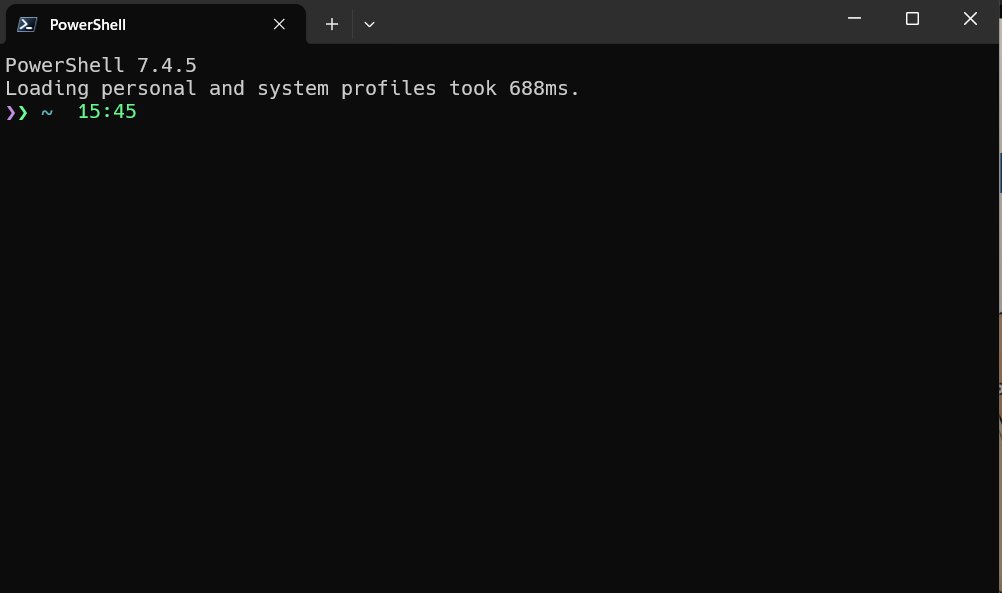
A terminal
When you type a program's name, the terminal looks for it inside the folders listed in the PATH variable.
PowerShell · Terminal · bash · zsh
If it is not in one of those folders: command not found.
04 · PROGRAMS
Programs that install programs
Set one up. It will make your life simpler. In the lab, setup.bat does this for you — see the tutorial.
WINDOWS
scoop
scoop.sh
scoop install git python
MACOS
brew
brew.sh
brew install git python
05
Programming languages
Shared conventions for giving instructions
05 · PROGRAMMING LANGUAGES
Compiled or interpreted
Hybrid — Java. Transpiled — TypeScript → JavaScript.
COMPILED
C, C++, Go, Rust, Zig
source code → compiler → machine code → run
Translate everything first. Then run fast, many times.
INTERPRETED
Python, JavaScript, Ruby
source code → interpreter reads and runs, line by line
No separate build step. Slower, but you see results right away.
05 · PROGRAMMING LANGUAGES
Languages have syntax
Statements
Variables
Operators and functions
Keywords for flow control
You will see all four in the first tutorial file.
# variable
rows = 22

# operator + function
step = 90 / rows

# keyword: flow control
for row in range(rows):
    # statement
    draw(row, step * row)
06
Python
A program that interprets text
06 · PYTHON
A program that interprets text and executes the instructions, following Python's conventions.
06 · PYTHON
Python is…
01
Interpreted
No build step. Run it and see.
02
Dynamically typed
A variable can hold a number now and text later.
03
High-level
Close to how you think, far from the hardware.
04
Indented
Spaces decide what belongs to what.
05
Slower
Than C or Rust. Fast enough for us.
06 · PYTHON
>>> import this
The Zen of Python, by Tim Peters. Nineteen lines. Here are eight.
Type it into any Python and read two or three lines aloud. The console on these slides will do — press backtick.
Beautiful is better than ugly.
Explicit is better than implicit.
Simple is better than complex.
Flat is better than nested.
Readability counts.
Errors should never pass silently.
Now is better than never.
If the implementation is hard to
explain, it's a bad idea.
06 · QUICK CHECK · HANDS UP
Python reads your code line by line while it runs. Python is…
A — Compiled
B — Interpreted
C — Transpiled
07
Tools for the job
Environment · editor · version control
07 · TOOLS FOR THE JOB
Three tools
01
A Python environment
Something that runs your code.
02
A way to edit code
Something that shows it to you properly.
03
A way to track changes
Something that remembers every version.
07 · TOOLS · 01 + 02
Environment and editor
INSTALL PYTHON
Many ways. Pick one.
python.org/downloads
anaconda.com
github.com/pyenv/pyenv · pyenv-win
or: scoop / brew install python
This year: uv. It fetches a Python for you.
TEXT EDITOR
VS Code. The easy choice.
code.visualstudio.com
The hacker's choice: vim · neovim
07 · TOOLS · 03
Git and GitHub
Git tracks every change on your computer. git-scm.com
GitHub keeps a copy online and lets others see it. github.com
github.com/settings/education/benefits — add your PolyU email first
github.com/git-guides
GitHub Education only accepts a PolyU address — polyu.edu.hk, connect.polyu.hk and the other school-issued domains.
07 · TOOLS · HOW GITHUB WORKS
Issue → fork → commit → pull request
01
Issue — say what is wrong
A bug, a feature idea, or “I want to help.” Explain how the code should behave.
02
Fork — your own copy
A fork is your version of the repo. It can pull in new changes from the original any time.
03
Commit — save a change
Each commit is a named snapshot. Push it and it is public.
04
Pull request — ask to merge
Propose your commits to the original repo. If accepted, they are merged in.
A PUBLIC REPO · THE COURSE LIVES ON GITHUB
github.com/sd5913/pfad
08
Assignments and tutorials
Two repos, four rooms
ASSIGNMENT 01 · 5% · DUE SUN 13 SEP, 23:59
Why are we here?
500–1000 words on why you are in this course.
A public GitHub repo. Not a PDF.
README.md is the essay
PROCESS.md is how you used AI
Submit the repo URL on Canvas — canvas.polyu.edu.hk
ASSIGNMENT 02 · 10% · WHAT TO EXPECT
Data visualisation — two high-level tasks
TASK 01
Obtain data about a natural phenomenon
TASK 02
Visualise the data you collected
ASSIGNMENT 02 · BREAK IT DOWN
Example: tides
01
Phenomenon
Tides in Hong Kong.
02
Data provider
hko.gov.hk/en/tide/ttext.htm
03
The problem
Find the pattern …inside a web page.
04
Weeks 2–3
Visualise. Art, or design?
ASSIGNMENT 02 · INPUTS AND OUTPUTS
“Find the pattern in a web page” — five steps
01
Get
Make an http request. requests
02
Save
Write the page to a file, so you ask the server only once.
03
Parse
Read the response as XML and find the pattern. lxml
04
Store
Keep the data you found in a clean shape.
05
Show
What data and metadata matter? How is it consumed? What must be validated?
ASSIGNMENT 02 · STEP 02
Save the page
Check if the file exists. If not, request it and save it. If yes, just read it.
This is the first if/else you will write, and it is the reason your script does not hit the server every time you run it.
file exists?

  NO  -> make the http request
         save the file

  YES -> read the file

then: parse
ASSIGNMENT 02 · 10% · DUE SUN 27 SEP
Data visualisation
Code committed to a GitHub repo. Submit the URL on Canvas. It should obtain data about a natural phenomenon and visualise it.
Are you a precrastinator? Start here:
1 · Install Python
2 · Clone the repo
3 · Run the code
4 · Make it work for the website you need
TUTORIALS · MULTIPLE CHOICE
Do you want to leave your current tutorial group and join the 15:30 laptop group instead?
A
Yes — I will bring my own laptop
B
No — I stay in my group
C
I don't mind either
08 · TUTORIALS
Use the tutorials to work on your assignments
V915 · PC
12:30–14:30
Gio
V915 · PC
14:30–16:30
Nicola
V915 · PC
16:30–18:30
Nicola
V1102 · YOUR LAPTOP
15:30–17:30
Gio — the laptop group
08 · WEEK 1 TUTORIAL GOALS
Leave today with…
A GitHub account — 2FA on, PolyU email added
[Laptop] git and VS Code installed; git name + email set
Registered at pfad.ait4x.org — student ID matched
[Laptop] A clone of the course repo + Python installed
github.com/sd5913/pfad open, week01/README.md read
Your own public repo — the sketch in it, run, two commits pushed
You can do every step inside VS Code. The terminal is optional today.
T
Tutorial
Sign up · register · run week01 · make your own repo
TUTORIAL · GITHUB
Your GitHub account is your portfolio
Every commit in this course shows up on your profile. Put it on your CV.
github.com/venetanji
# github.com/education/students

if not you.has_account:
    register("student email")
else:
    you.account.add_email(
        "student email")
[TASK] · DO IT NOW · ONE MINUTE
Sign up, then register
01 · GITHUB.COM
Sign up
Go to github.com. Use your student email.
Turn on two-factor authentication — you will need it.
02 · PFAD.AIT4X.ORG
Match your work
Go to pfad.ait4x.org and sign in with GitHub. Enter the last 4 digits and the letter of your PolyU student ID.
Public profile only · no password · no access to your repos
[TASK] · SET UP THE MACHINE
One file. Double-click it.
github.com/ait4x/v915-setup → download setup.bat, double-click.
Installs git, VS Code and uv, then clones the course repo.
Asks for your name and email — use the ones on your GitHub account.
Windows will say “Windows protected your PC”: More info → Run anyway.
Safe to run again. Already have the folder? Double-click setup.bat inside it.
On a Mac: brew install git, then VS Code — week01/README.md has the lines.
Lab machine? Double-click signout.bat when you leave — or the next person pushes as you.
[TASK] · RUN WEEK01
VS Code + Copilot in agent mode
Step 1 · Open — VS Code, sign in with GitHub, open Copilot chat. Choose Agent.
Step 2 · Clone — if setup.bat did not: Can you help me clone https://github.com/sd5913/pfad and open it? Or from a terminal: code pfad
Step 3 · Run and commit — open week01/README.md. Run the sketch. Commit from the Source Control panel.
Works best with Claude as the model.
OPTION · NO INSTALL
VS Code in Codespaces
A full VS Code in your browser, running on GitHub's computer. github.com/codespaces
1 · Create a codespace
2 · Assign it the repo sd5913/pfad
3 · Work as in VS Code
Stop the codespace when you are done — it uses your free hours.
[TASK] · YOUR REPO
Make your own repo
You cannot push to a public repo unless you are a collaborator — and being in the org is read access, not push. To commit code, create your own new repo.
Do it on github.com — Copilot cannot do this for you.
github.com — New repository → public
VS Code — copy the week01 sketch in, run it
Source Control — two commits, pushed
See you next week
Want more challenges? Code Schotter, with your own number.
sd5913.github.io/teaching
a·t4x
SD5913 · WEEK 01 · LECTURE
PolyU School of Design · pfad.ait4x.org
SD5913 · WEEK 01
01 Why are we here?
02 Who are we?
03 Computers
04 Programs
05 Programming languages
06 Python
07 Tools for the job
08 Assignments and tutorials
01 · QUESTION · SHORT ANSWER · YOUR ANSWERS
One sentence. Why a programming course for art and design?
02 · WHO IS TEACHING YOU
No computer science degree. I learned to code because I wanted to make things that could not be made any other way. That is still the only reason I use it.
// what I made with it
2017–2019 · Hanson Robotics · I was Sophia's operator for two years. Someone knocked out a power cable during setup, in front of thousands of people. It came back. The show went on.
02
ARTISTS AND DESIGNERS · WHAT'S YOUR X?
QUESTION · MULTIPLE CHOICE · YOUR ANSWERS
A Artist
B Designer
C Both / not sure
Artists? — Hannah Arendt, The Human Condition, 1958
QUESTION · MULTIPLE CHOICE · YOUR ANSWERS
A Yes
B No
C It can be
1965 · FRIEDER NAKE · HOMMAGE À PAUL KLEE, 13/9/65 NR.2
A program drew this. Screenprint after a plotter drawing, 49.2 × 49.2 cm. Victoria and Albert Museum, E.951-2008.
1966 · FRIEDER NAKE · WALK-THROUGH-RASTER, SERIES 2, 1–4
Same idea: a rule, run many times, with a little randomness. Photograph of a plotter drawing. Victoria and Albert Museum, E.955-2008.
TALK · DYLAN BEATTIE
Inspiration for assignment 1.
youtube.com/watch?v=6avJHaC3C2U
GEORG NEES · SCHOTTER · 1968
12 squares across, 22 down. The top row is perfect. Every row after it is rotated and moved a little more, until the bottom is rubble.
In the tutorial you change that number and watch it become a different picture.
CHAOS = 1.0
Drawn by the rule in pfad/week01/first-repo/sketch.py, seed 5913.
Open the live sketch › — move the mouse: chaos · click: new seed
Designers?
1837 · CHARLES BABBAGE · THE ANALYTICAL ENGINE
A computer is a physical thing. Brass, steel and gears, cut by hand by craftsmen. This one was designed but never finished. Someone wrote a program for it anyway. Trial model, Science Museum Group 1878-3, CC BY-NC-SA 4.0.
Ada Lovelace, Note G, 1843 · Portrait by Margaret Sarah Carpenter, 1836, Government Art Collection
AGILEMANIFESTO.ORG · 2001
Individuals and interactions over processes and tools
Working software over comprehensive documentation
Customer collaboration over contract negotiation
Responding to change over following a plan
ART AND DESIGN
CULTURE AND TECHNOLOGY
Technologies do not exist “in themselves.” They exist in relation to people and culture.
— Don Ihde
you ←→ tool ←→ world
QUESTION · WORD CLOUD · YOUR ANSWERS
One word. What do you want to make with code this semester?
HOW TO SURVIVE THE SEMESTER
Bored? Find a harder problem.
Anxious? Learn a skill, or make the problem smaller.
Then sleep.
You will read this loop again in week 4, once while means something, and run it for real in week 13.
problem = None while semester() == 1: if not problem: problem = Problem.current() while not problem.solved: try: code = self.challenge(problem) problem.solved = code.run(problem) except: panic = reality_check() break state = check_state() if state == "bored" or problem.solved: problem = Problem.find_harder(problem) elif state == "anxious" or panic: try: skill_upgrade(self) except: simplify(problem) finally: sleep(8 * 60 * 60)
ASSESSMENT
Participation
Come, or tell us before you do not.
Individual assignments
Three, on GitHub, on time.
Mid-term quiz
In class, week 7.
Group project
A GitHub repo with everyone's commits. Original code. Multimedia. Scope agreed by week 8.
Final quiz
In class, week 13.
INDIVIDUAL ASSIGNMENTS · 30%
01 · 5%
Why are we here? 500–1000 words.
DUE SUN 13 SEP
02 · 10%
Get data about a natural phenomenon. Show it.
DUE SUN 27 SEP
03 · 15%
Something people can play with.
LATER IN THE SEMESTER
VIDEO
Programmers are not smarter. They are used to being wrong and trying again.
youtube.com/watch?v=3o63D0-_x2k
03
TURING, 1936
03 · COMPUTERS
Turing, 1936 — On Computable Numbers, with an Application to the Entscheidungsproblem.
A tape of symbols, a head that reads one at a time, and a table of rules.
Read a symbol. Follow a rule. Write. Move. Repeat.
The machine in the paper is a thought experiment. Turing never built one.
TAPE … 1 0 1 1 0 0 …
^
HEAD reads one cell
RULES (state, symbol) ->
(write, move, next state)
read . rule . write . move
repeat
04
INSTRUCTIONS FOR CHANGING STATE
04 · PROGRAMS
STATE 0
A blank canvas, a file, a number.
PROGRAM
Step, step, step…
STATE 1
A picture, a saved file, a result.
04 · PROGRAMS
01 Inputs
02 Outputs
03 Errors
04 Infinite loops
04 · PROGRAMS
All programs run as processes inside your operating system.
…except for one.
YOUR COMPUTER process: browser process: vscode process: python ... kernel CPU RAM disk
04 · PROGRAMS
The kernel talks to the hardware.
The shell is the layer you talk to.
A terminal is a shell you type into.
YOU
|
APPS TERMINAL
| |
| SHELL
| |
KERNEL
|
hardware
04 · PROGRAMS
When you type a program's name, the terminal looks for it inside the folders listed in the PATH variable.
If it is not in one of those folders: command not found.
04 · PROGRAMS
Set one up. It will make your life simpler. In the lab, setup.bat does this for you — see the tutorial.
WINDOWS
scoop.sh
scoop install git python
MACOS
brew.sh
brew install git python
05
SHARED CONVENTIONS FOR GIVING INSTRUCTIONS
05 · PROGRAMMING LANGUAGES
Hybrid — Java. Transpiled — TypeScript → JavaScript.
COMPILED
source code → compiler → machine code → run
Translate everything first. Then run fast, many times.
INTERPRETED
source code → interpreter reads and runs, line by line
No separate build step. Slower, but you see results right away.
05 · PROGRAMMING LANGUAGES
You will see all four in the first tutorial file.
# variable rows = 22 # operator + function step = 90 / rows # keyword: flow control for row in range(rows): # statement draw(row, step * row)
06
A PROGRAM THAT INTERPRETS TEXT
06 · PYTHON
06 · PYTHON
01 Interpreted
No build step. Run it and see.
02 Dynamically typed
A variable can hold a number now and text later.
03 High-level
Close to how you think, far from the hardware.
04 Indented
Spaces decide what belongs to what.
05 Slower
Than C or Rust. Fast enough for us.
06 · PYTHON
The Zen of Python, by Tim Peters. Nineteen lines. Here are eight.
Type it into any Python and read two or three lines aloud. The console on these slides will do — press backtick.
Beautiful is better than ugly.
Explicit is better than implicit.
Simple is better than complex.
Flat is better than nested.
Readability counts.
Errors should never pass silently.
Now is better than never.
If the implementation is hard to
explain, it's a bad idea.
06 · QUICK CHECK · HANDS UP
07
ENVIRONMENT · EDITOR · VERSION CONTROL
07 · TOOLS FOR THE JOB
01
Something that runs your code.
02
Something that shows it to you properly.
03
Something that remembers every version.
07 · TOOLS · 01 + 02
INSTALL PYTHON
python.org/downloads
anaconda.com
github.com/pyenv/pyenv · pyenv-win
or: scoop / brew install python
This year: uv. It fetches a Python for you.
TEXT EDITOR
code.visualstudio.com
The hacker's choice: vim · neovim
07 · TOOLS · 03
Git tracks every change on your computer. git-scm.com
GitHub keeps a copy online and lets others see it. github.com
github.com/settings/education/benefits — add your PolyU email firstgithub.com/git-guidesGitHub Education only accepts a PolyU address — polyu.edu.hk, connect.polyu.hk and the other school-issued domains.
07 · TOOLS · HOW GITHUB WORKS
01 Issue — say what is wrong
A bug, a feature idea, or “I want to help.” Explain how the code should behave.
02 Fork — your own copy
A fork is your version of the repo. It can pull in new changes from the original any time.
03 Commit — save a change
Each commit is a named snapshot. Push it and it is public.
04 Pull request — ask to merge
Propose your commits to the original repo. If accepted, they are merged in.
A PUBLIC REPO · THE COURSE LIVES ON GITHUB
08
TWO REPOS, FOUR ROOMS
ASSIGNMENT 01 · 5% · DUE SUN 13 SEP, 23:59
500–1000 words on why you are in this course.
README.md is the essayPROCESS.md is how you used AIcanvas.polyu.edu.hkASSIGNMENT 02 · 10% · WHAT TO EXPECT
TASK 01
TASK 02
ASSIGNMENT 02 · BREAK IT DOWN
01 Phenomenon
Tides in Hong Kong.
02 Data provider
hko.gov.hk/en/tide/ttext.htm
03 The problem
Find the pattern …inside a web page.
04 Weeks 2–3
Visualise. Art, or design?
ASSIGNMENT 02 · INPUTS AND OUTPUTS
01 Get
Make an http request. requests
02 Save
Write the page to a file, so you ask the server only once.
03 Parse
Read the response as XML and find the pattern. lxml
04 Store
Keep the data you found in a clean shape.
05 Show
What data and metadata matter? How is it consumed? What must be validated?
ASSIGNMENT 02 · STEP 02
Check if the file exists. If not, request it and save it. If yes, just read it.
This is the first if/else you will write, and it is the reason your script does not hit the server every time you run it.
file exists?
NO -> make the http request
save the file
YES -> read the file
then: parse
ASSIGNMENT 02 · 10% · DUE SUN 27 SEP
Code committed to a GitHub repo. Submit the URL on Canvas. It should obtain data about a natural phenomenon and visualise it.
Are you a precrastinator? Start here:
TUTORIALS · MULTIPLE CHOICE
A Yes — I will bring my own laptop
B No — I stay in my group
C I don't mind either
ClassPoint · multiple choice — answer on the projector
08 · TUTORIALS
V915 · PC
12:30–14:30
Gio
V915 · PC
14:30–16:30
Nicola
V915 · PC
16:30–18:30
Nicola
V1102 · YOUR LAPTOP
15:30–17:30
Gio — the laptop group
08 · WEEK 1 TUTORIAL GOALS
pfad.ait4x.org — student ID matchedgithub.com/sd5913/pfad open, week01/README.md readYou can do every step inside VS Code. The terminal is optional today.
T
SIGN UP · REGISTER · RUN WEEK01 · MAKE YOUR OWN REPO
TUTORIAL · GITHUB
Every commit in this course shows up on your profile. Put it on your CV.
github.com/venetanji
# github.com/education/students if not you.has_account: register("student email") else: you.account.add_email( "student email")
[TASK] · DO IT NOW · ONE MINUTE
01 · GITHUB.COM
Go to github.com. Use your student email.
Turn on two-factor authentication — you will need it.
02 · PFAD.AIT4X.ORG
Go to pfad.ait4x.org and sign in with GitHub. Enter the last 4 digits and the letter of your PolyU student ID.
Public profile only · no password · no access to your repos
[TASK] · SET UP THE MACHINE
github.com/ait4x/v915-setup → download setup.bat, double-click.
setup.bat inside it.On a Mac: brew install git, then VS Code — week01/README.md has the lines.
Lab machine? Double-click signout.bat when you leave — or the next person pushes as you.
[TASK] · RUN WEEK01
Can you help me clone https://github.com/sd5913/pfad and open it? Or from a terminal: code pfadweek01/README.md. Run the sketch. Commit from the Source Control panel.Works best with Claude as the model.
OPTION · NO INSTALL
A full VS Code in your browser, running on GitHub's computer. github.com/codespaces
sd5913/pfadStop the codespace when you are done — it uses your free hours.
[TASK] · YOUR REPO
You cannot push to a public repo unless you are a collaborator — and being in the org is read access, not push. To commit code, create your own new repo.
Do it on github.com — Copilot cannot do this for you.
Want more challenges? Code Schotter, with your own number.
SD5913.GITHUB.IO/TEACHING